Your PowerPoint. Your Excel. Your AI.
AI that reads your live deck, analyzes your live model, and learns your firm's style—offline, with any foundation model, compounding with every engagement.
Four workstreams on track; Revenue Acceleration carries execution risk
Workstream Status | As of March 24, 2026
position: ["left":10.65] | shape: Rectangle 37
position: ["width":1.05] | shape: TextBox 38
I have everything I need. The footer sits at top=7.065"—just below the slide canvas. I'll place the legend inline, tucked neatly between the last row (bottom at 6.907") and the footer.
Three small colored squares + labels, horizontally arranged, right-aligned near the source line. The legend squares are overlapping the footer. I'll move everything up slightly to sit just above it.
position: ["left":12.2] | shape: Rectangle 39
Three-panel workspace: project explorer, live Office files, and AI assistant—all sharing full engagement context
What teams are saying
"This is my business analyst with infinite capacity. My work got 2-3x faster AND the quality of work improved"
"Completely changed my day-to-day, I easily spend half my day in it"
"Wow, this is like having an engagement manager + 10 BAs, all with one associate"
"Dramatically reduces time spent reconnecting context across documents, interviews, and analyses"
"This is exactly what we need to deploy at scale ASAP. Clients aren't blind to AI, they're asking for us to do more with less"
"Wow, this is like days of work in 15 minutes"
One workspace. Full context.
The market is full of AI point solutions—a slide builder here, a data tool there, a research agent somewhere else. Six tabs, zero integration. Braid OS is one workspace where every capability shares the same context, the same files, and the same engagement memory.
Slide Partner
Copy-pasting from old decks. Manually reformatting. Hoping it matches the template.
AI that reads your live deck, learns your firm's template, and drafts slides that match your style library.
"Build a status slide for workstream 3 using the 5-row layout"
A slide partner that learns your firm's visual language.
Data Analyst
Alt-tabbing between Excel and PowerPoint. Manual chart updates. Hoping the numbers still match.
Works inside your live Excel model. Pushes figures directly into PowerPoint with provenance tracking.
"Update the revenue chart with Q3 actuals and flag any variances > 5%"
"Where did this 14.3% come from?" One click.
Researcher
Dozens of browser tabs. Manual citation tracking. No source trail in the final deck.
Finds, synthesizes, and cites. Every claim grounded in verifiable sources that flow into your slides.
"Find market size data for Vietnam logistics and cite the sources"
Automatic citation on every factual claim. No hallucinated numbers.
Engagement Memory
Re-explaining context every session. New team members start from zero. Partner preferences lost.
Remembers what the engagement is about, what assumptions have been validated, how the partner likes work.
"What did the client say about timeline in last week's steerco?"
The context that makes week 3 output better than week 1.
One agent. One context. One engagement memory. One set of live Office files. Four capabilities.
You don't need another AI tool
You've tried the slide builders. You've tried the AI analysts. You've tried Copilot. Each one solves a fragment. None of them share context. You're still copying numbers from one tool, pasting them into another, and manually checking that they match.
The problem was never “we need AI that builds slides.” The problem is: “we need AI that understands our entire engagement—the data, the narrative, the template, the context—and works across all of it at once.”
That's Braid OS. Not another arrow. The bow and quiver.
From first day to final deliverable
A workflow designed for how consulting actually works—not how software companies think it should work.
Open Your Files
Open your PowerPoint deck and Excel model. Braid OS embeds them directly in the workspace—live, editable, exactly as they are. No upload. No conversion. No cloud sync. You and the AI see the same document at the same time.
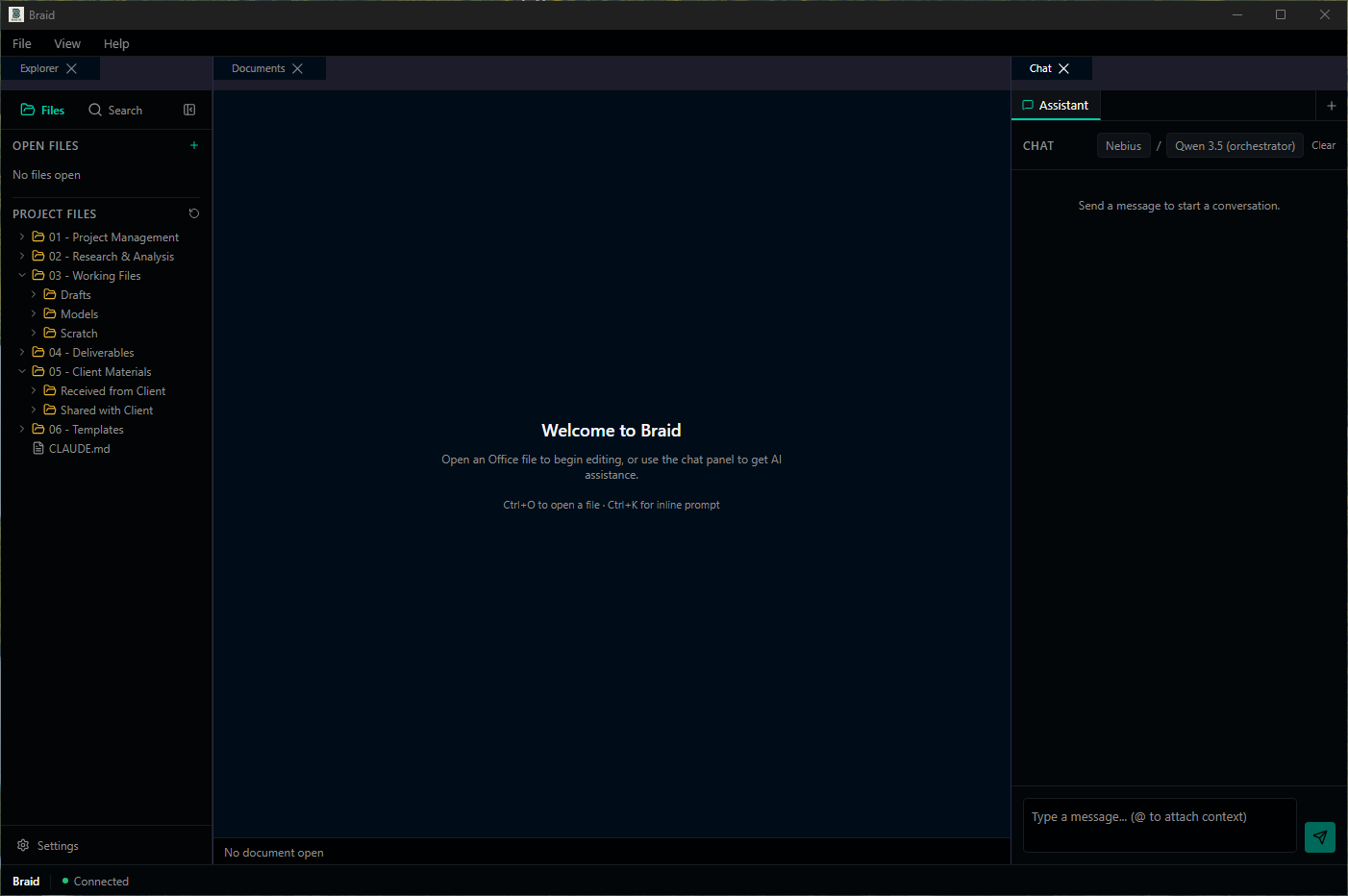
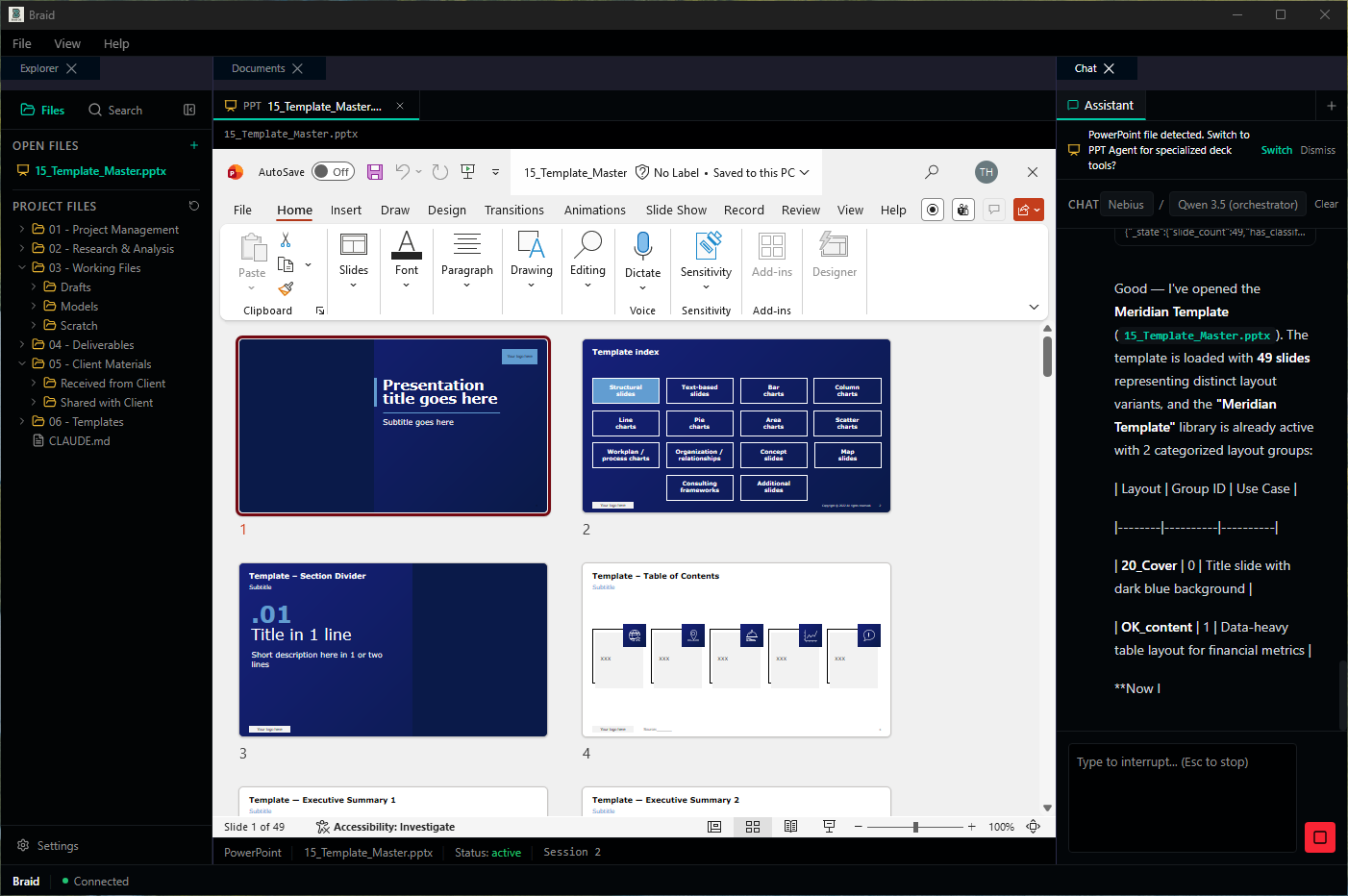
Teach Your Standards
Point Braid OS at your firm's template. It reads the slide master—layouts, colors, fonts, chart conventions—and builds a style library that sharpens with every engagement. The AI learns your standards so you can focus on the work.
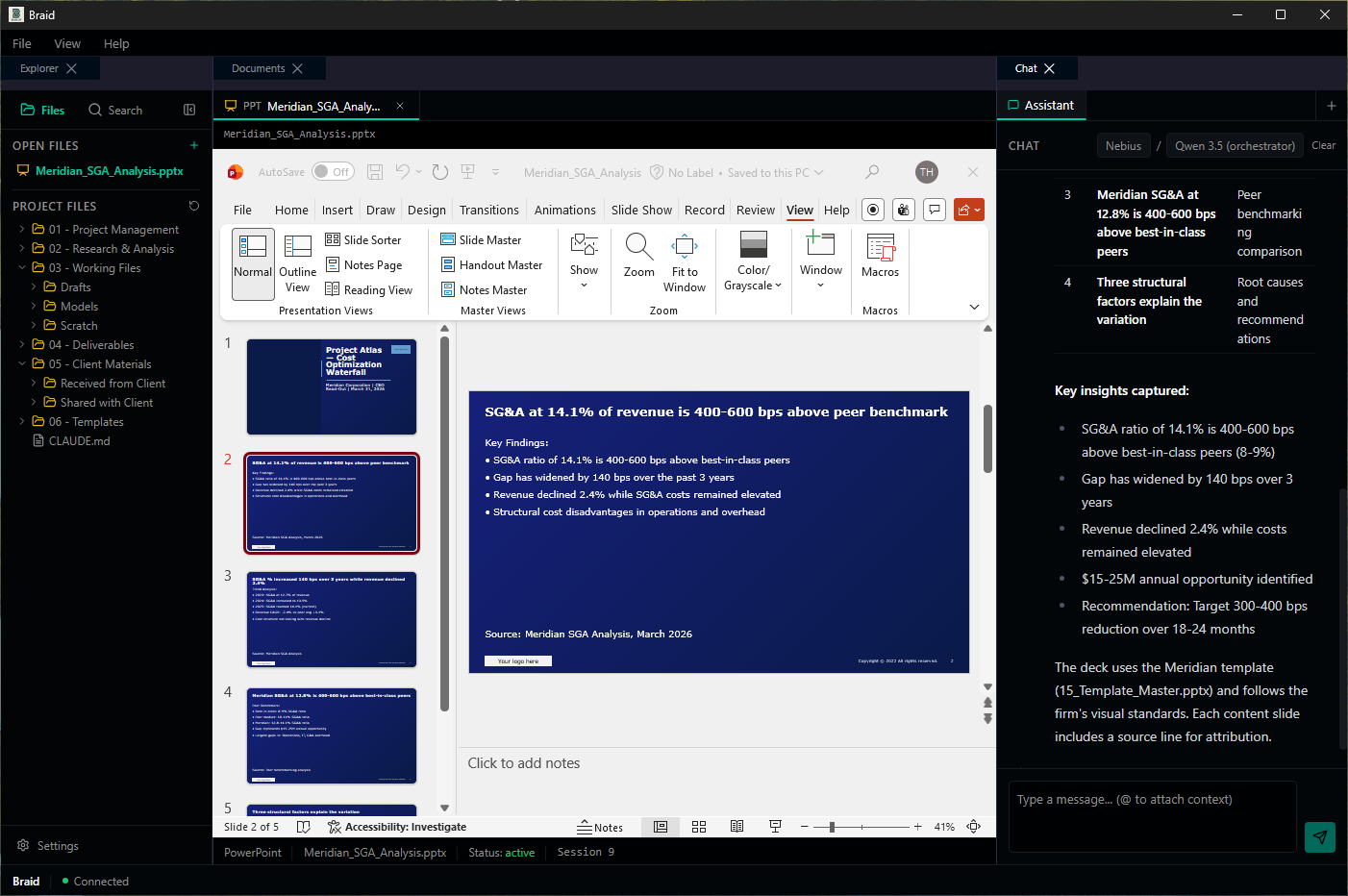
Work Together
You edit. The AI edits. Both of you in the same deck, at the same time. Ask a question, make a change, interrupt mid-stream—the AI adapts. It's not a handoff; it's a partnership where you stay in control and the AI handles the mechanics.
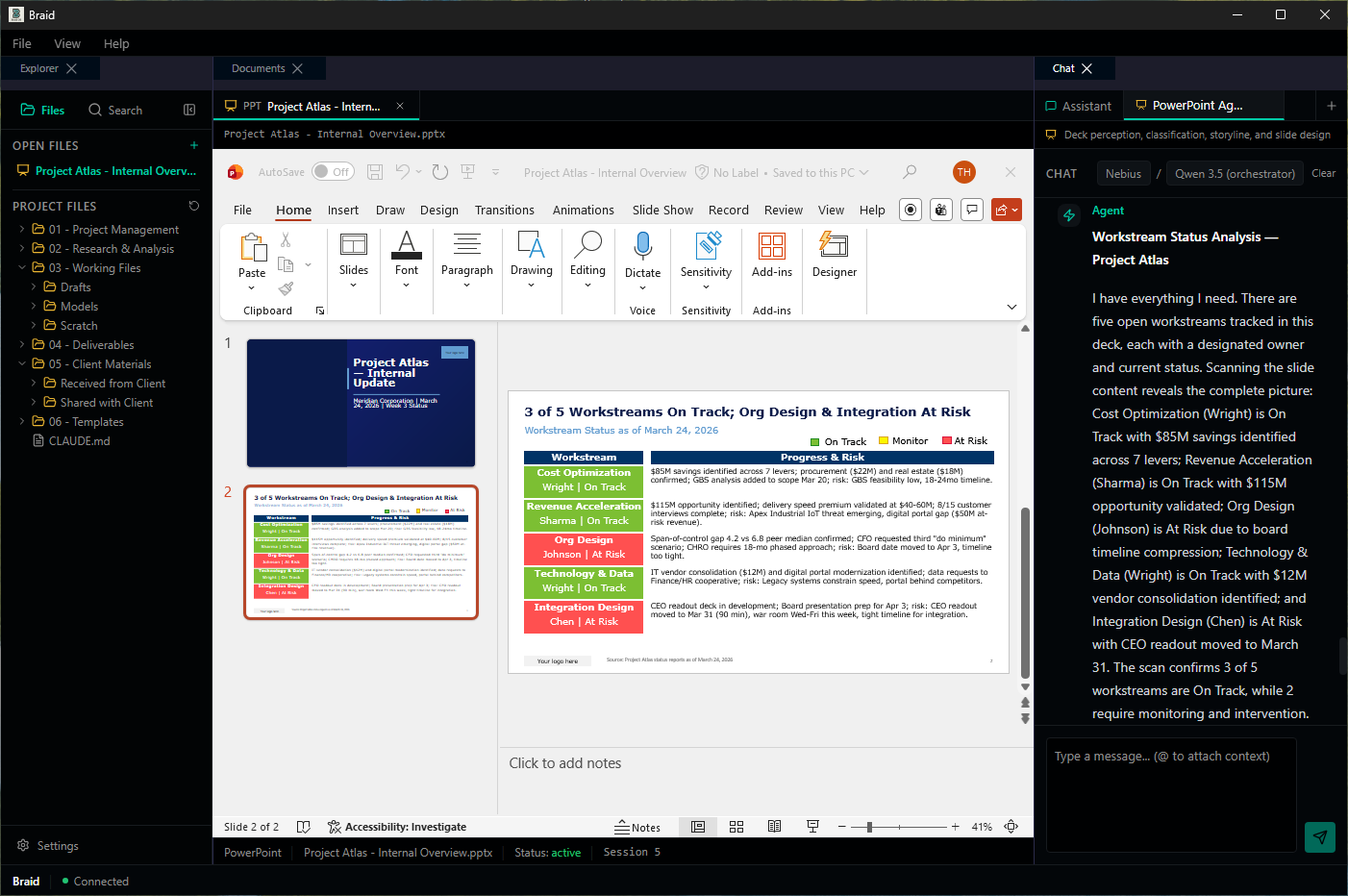
Deliver Faster
Get the week 1 answer by day 2. Spend the remaining time on what actually matters: refining the recommendation and counseling your client. The AI accelerates the mechanics so you can focus on the judgment.
Built for how consultants actually work
Braid OS is designed around the realities of engagement delivery—sensitive data, firm standards, cross-file workflows, and the need to trace every number back to its source.
Live file embedding
Your PowerPoint and Excel files open directly in the workspace—live, editable, exactly as they are. No export, no upload, no conversion step.
Most AI tools work with copies or exports. Braid OS works with the real file.
Offline by default
Client data stays on your machine. Run fully offline with a local model, or connect only when you choose to.
Half of consulting engagements involve data that can't go to the cloud. Braid OS works on all of them.
Model flexibility
Choose Claude, GPT, Gemini, or run a local model like Ollama. Switch anytime. Your firm isn't locked into a single vendor.
Different models excel at different tasks. Use the right tool for the job.
Firm-specific styling
Point to your template once. Braid OS learns your layouts, colors, fonts, and chart conventions—then enforces them automatically.
Every slide looks like your firm built it, because your firm's standards are baked in.
Source traceability
Every number in your deck traces back to its origin cell in Excel. One click from the slide to the source.
When the partner asks 'where did this come from?'—you have the answer instantly.
Cross-file intelligence
The AI sees your deck and your model at the same time. Change a number in Excel; the chart in PowerPoint updates. Context flows both ways.
No more copying numbers between tools and hoping they match.
The largest consulting firms invested hundreds of millions building AI into their workflows—McKinsey's Lilli serves 75% of their 45,000 people; BCG's Deckster has been used over 450,000 times. That class of tooling should exist for every consulting team. We're building it.
Braid OS is a desktop-native AI workspace for management consultants. It embeds live PowerPoint and Excel files directly in the application, works fully offline with sensitive client data, and lets your firm choose its own foundation model—Claude, GPT, Gemini, or a locally hosted model like Ollama. The agent learns your firm's slide template, enforces consulting narrative structures like pyramid principle and MECE, and maintains source traceability from every number in your deck back to its origin cell in Excel.
Common questions
Ready to see what your team delivers with full context?
Join the private beta. Limited spots for early adopters.
No commitment required • See results in your first week